
Cassette deck · Free
COLDMANCassette Tape
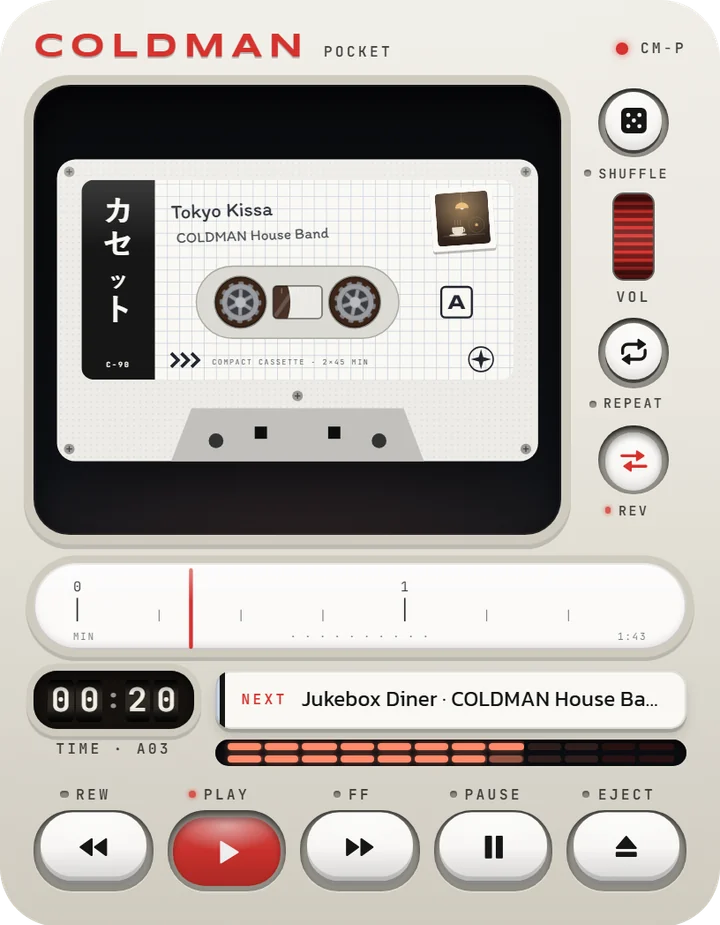
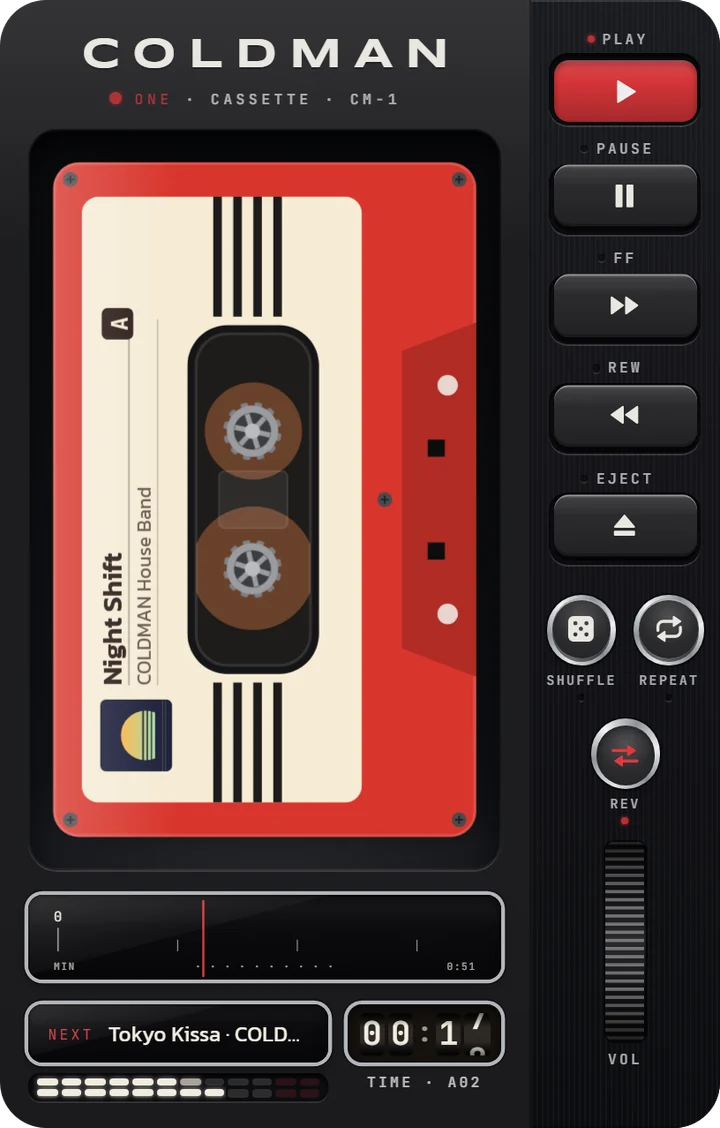
Paste a song link from YouTube, SoundCloud, Spotify or Audius and it becomes a tape. Press PLAY and the reels turn with the song.
A demo tape is already in the deck: open it and press PLAY.
Plays from
- YouTube
- SoundCloud
- Spotify
- Audius
through each service’s official player
How it works
From a link to a tape
- 01
Copy a song link
In YouTube, SoundCloud, Spotify or Audius, tap Share, then Copy link. Playlist links work too, except Spotify playlists.
- 02
Paste it on the Tapes page
Tap the paste key in the LINK field. The song becomes a tape in the deck, ready for PLAY.
- 03
Press PLAY
The reels turn with the song, the counter and the dial’s needle follow it. FF / REW skip, EJECT turns the tape over.
Looks
One deck, many looks
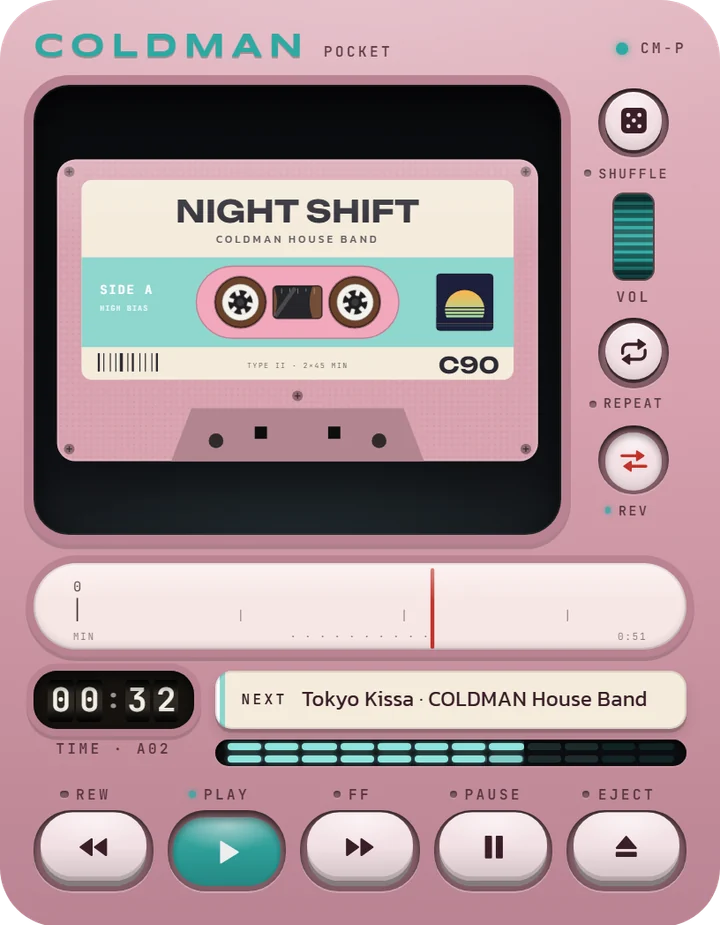
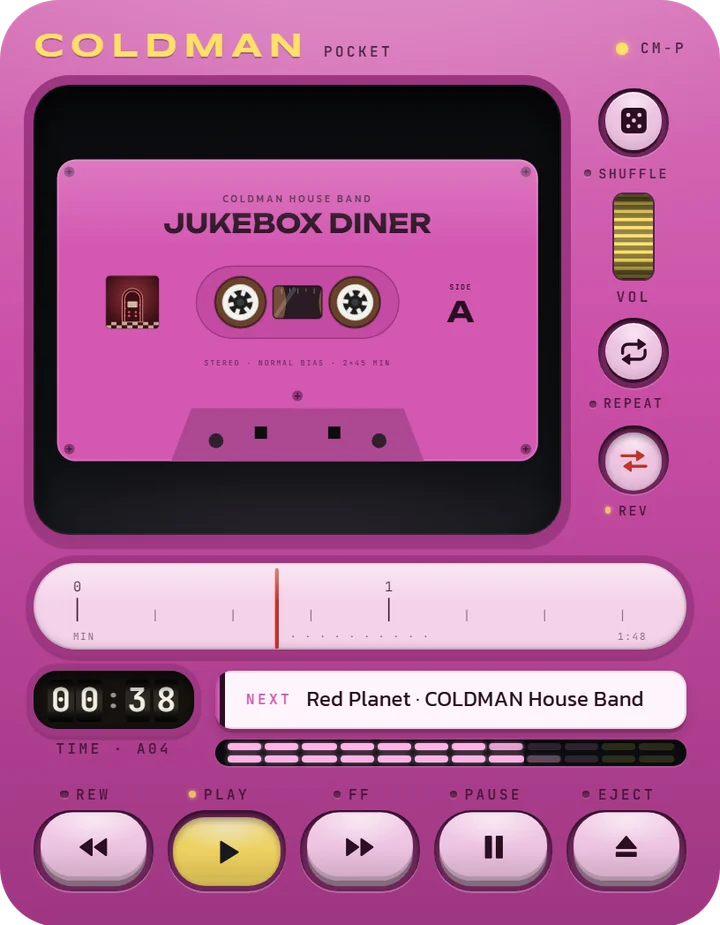
Two models, 25 body colours and 29 tape styles, or one of 21 ready-made looks. Tap the tape to see its case and insert.
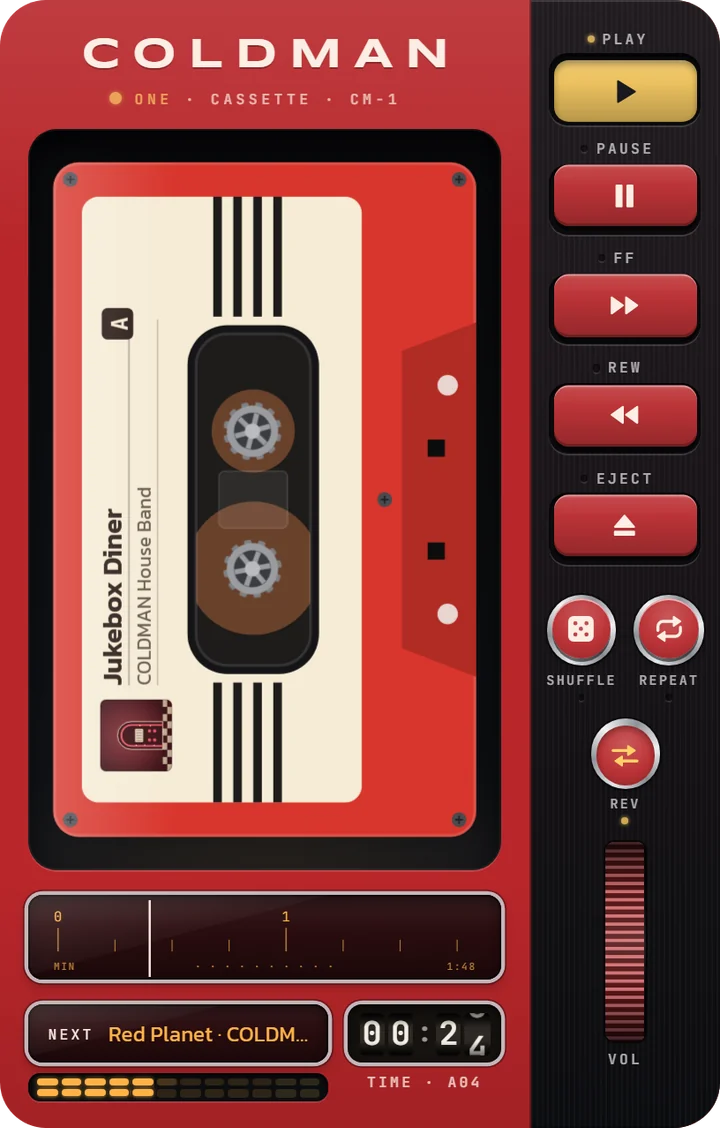
Jukebox Diner
COLDMAN One
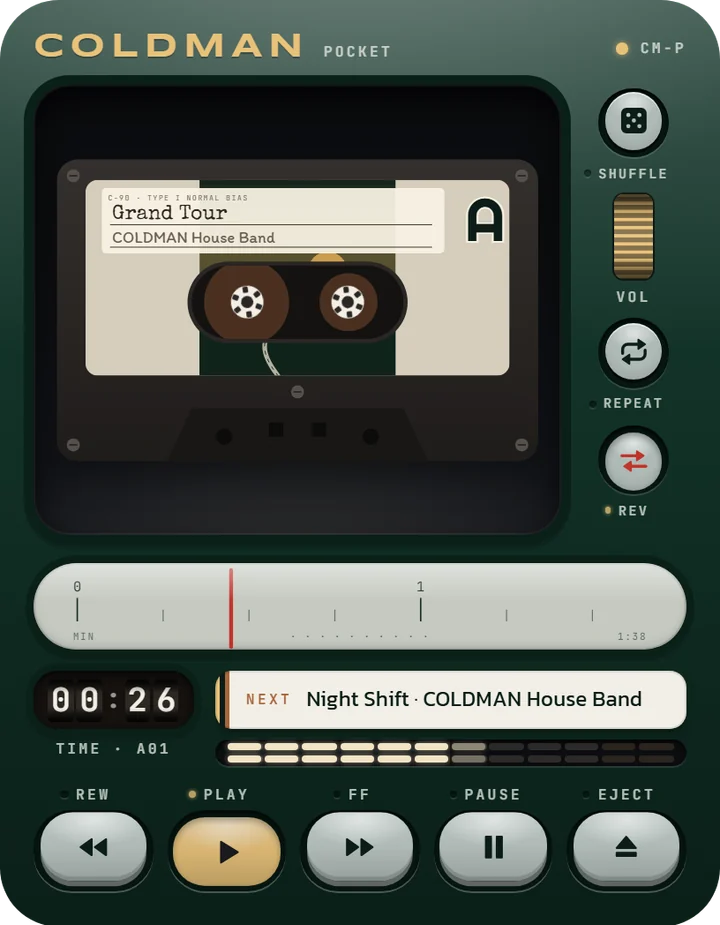
Grand Tour
COLDMAN Pocket
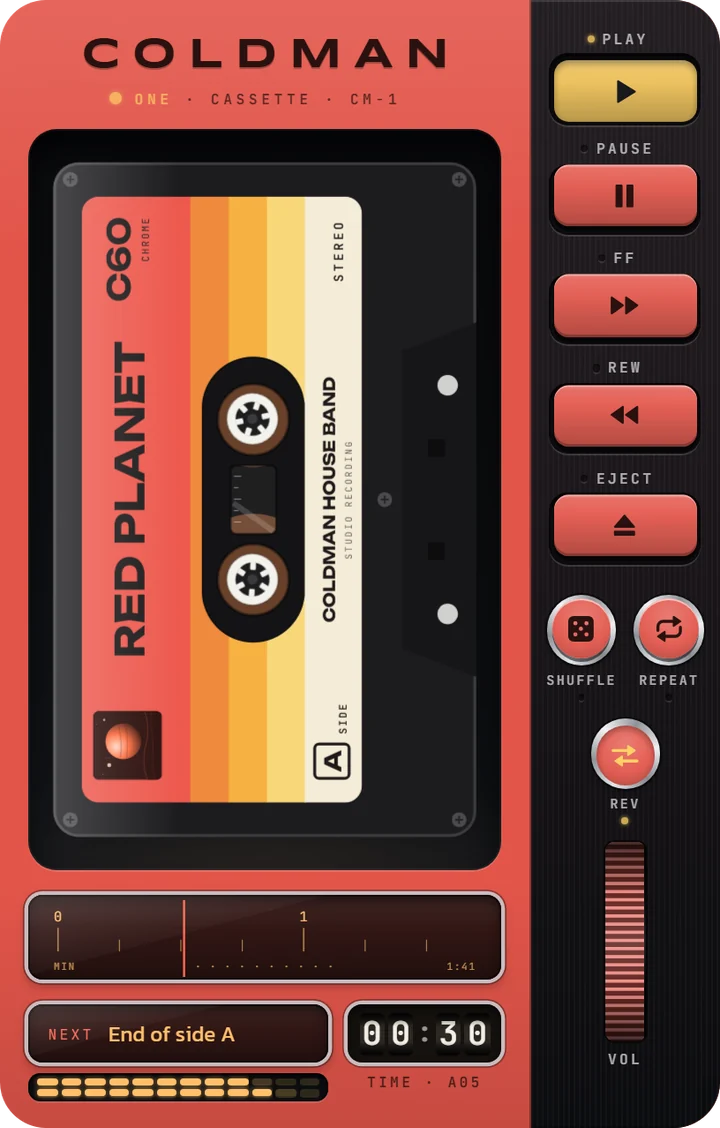
Red Planet
COLDMAN One
Vaporwave
COLDMAN Pocket
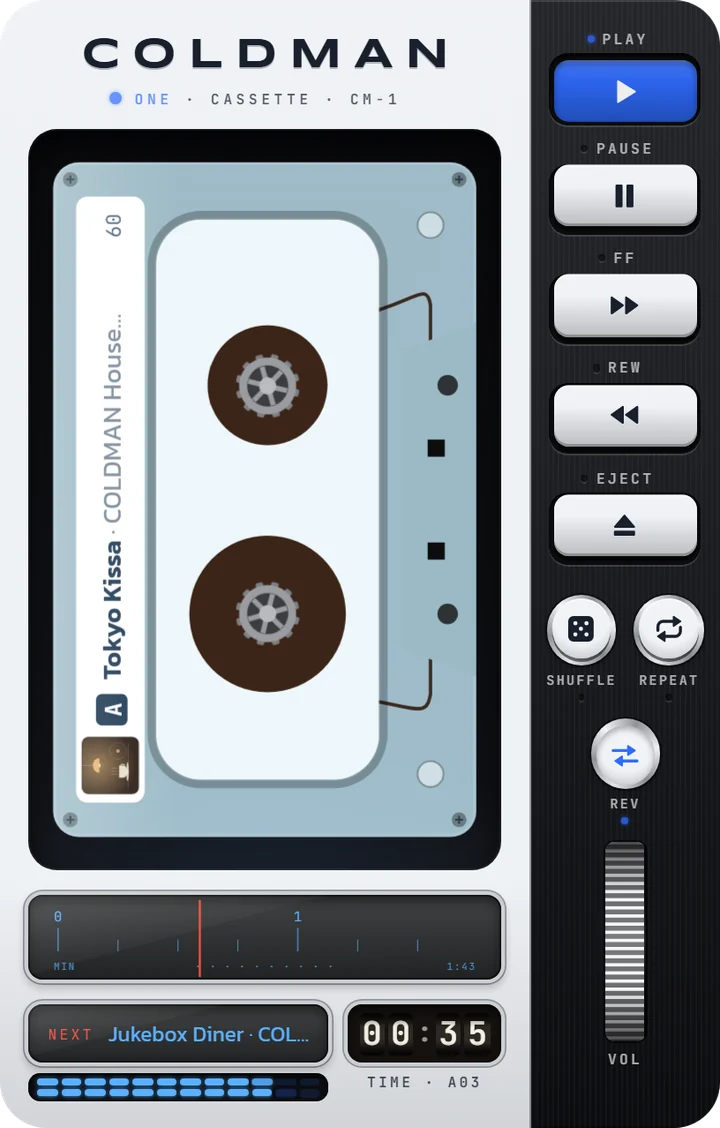
Arctic Lab
COLDMAN One
Miami Nights
COLDMAN Pocket
On the deck
More than PLAY
- SIDE A · B
Two sides, two lists
A tape has two sides. EJECT turns it over; with REV on, the other side plays when one ends. Save a side as a playlist.
- SHARE
Your deck in a story
A story or post picture of your deck as it is, a 13-second video with the reels turning, or a whole side as a mixtape link that opens in your look.
- VIEW
The deck, full screen
VIEW leaves just the deck. On tablets and computers speakers fill the room, their cones moving with the music.
- PIP
Float it
A small deck over your other apps and windows. On a computer every key on it works.
- BED
Bedside
A big clock and the sleep timer for the night, the screen kept on until the music fades out.
- SYNC
On every device
Sign in with Google and your tapes, playlists and look follow you. Without signing in, everything still works.
Official players only
The music stays where it lives
- COLDMAN never downloads, keeps or passes on any audio. It keeps only your links.
- Songs play through YouTube’s, SoundCloud’s and Spotify’s own players and the Audius API.
- YouTube’s player stays in view while it plays, as YouTube asks; in the deck view it sits on the deck’s MONITOR.
- Spotify plays whole songs when you’re signed in to Spotify in the same browser, else 30-second previews.
Questions
Questions
What can COLDMAN play?
Songs and playlists from YouTube, SoundCloud and Audius, and songs from Spotify, through their official players. Apple Music isn't supported yet.
Is it free?
Yes, with no ads and no account needed. A tip (Settings) helps keep it going; it unlocks nothing.
Does COLDMAN download or keep the music?
No. It plays through each service's official player and keeps only the links: in this browser, and in your account if you sign in.
Why does Spotify stop after 30 seconds?
Spotify plays whole songs only when you're signed in to Spotify in this browser. Sign in at open.spotify.com, then come back.
Why is there a YouTube screen?
YouTube's rules: its player has to stay in view while it plays. In the deck view it sits on the deck's MONITOR.
Why does YouTube stop when I leave the page or lock the phone?
YouTube doesn't allow playing out of sight. COLDMAN carries on from the same spot when you come back; to keep listening, float it with PIP. SoundCloud, Spotify and Audius keep playing.
Why won't the volume wheel turn?
iPhone and iPad let only their own buttons set the volume, and Spotify's player has no volume control. Use the device's buttons.
How do I add songs from the YouTube or Spotify app?
In the app tap Share, then Copy link, and paste it in COLDMAN. On Android, install COLDMAN and pick it straight from the share menu.
What are side A and side B?
Two lists on one tape. EJECT turns the tape over; with REV on, the other side plays when one ends.
How do I keep my tapes on all my devices?
Sign in with Google in Settings: your tapes, playlists and deck look stay the same everywhere.
What is the demo tape?
Five short pieces played by your browser itself: Night Shift, the demo song from Reeltime Deck, and a lo-fi piece for each of four looks (Tokyo Kissa: city pop in a coffee house; Jukebox Diner: a 50s shuffle; Grand Tour: a bossa on the road; Red Planet: slow synths on Mars). The first one goes with your deck’s look. It steps aside when you add a song of your own; Help puts it back.
What is bedside?
A quiet night screen: a big clock, the song and the sleep timer, with the screen kept on until the timer runs out. It opens by itself a few seconds after you set SLEEP; Settings can turn that off.
How do I install it as an app?
Settings, App: the Install key, or the steps for your browser.
What does COLDMAN keep about me?
Nothing unless you sign in; then only your Google account id and your library. See Privacy.
Ready when you are
Free, no ads, nothing to sign up for. It works in the browser; install it for its own icon and full screen.
Install as an app
- iPhone · iPad
- In Safari tap Share (the square with the arrow), then “Add to Home Screen”. In Chrome on iPhone: Share in the address bar, then “Add to Home Screen”.
- Android
- Open the browser menu ⋮ and tap “Install app” (if it says “Add to Home screen”, pick Install, not “Create shortcut”).
- Computer
- Click the install icon at the right of the address bar, or the browser menu → “Install COLDMAN”.